Local multiplayer.
Shared over the internet.
Play couch co-op and split-screen games online from your Windows PC or Steam Deck. CouchRelay is tuned for low-latency game streaming, with hardware-accelerated video and adaptive quality to keep play responsive. You play as usual; friends join from their PC or handheld with their own controls.
Play together
- Any game: works with whatever is on the host's screen; no game support needed.
- Friends' controllers become local players: the host's games see each friend's controller as
a controller plugged into the host (Xbox, DualShock 4 or DualSense, chosen automatically or by hand). The host keeps playing with their own.
- Keyboard and mouse too, from a Windows guest.
- More than one friend can join the same host.
Looks and feels live
- No buffering: every frame is sent the moment it is ready and shown the moment it arrives.
- Automatic quality: adapts the picture to each friend's connection, and recovers quickly after
a rough moment. Favor frame rate (up to each friend's screen refresh rate) or a sharper picture.
- Sharp picture: uses your graphics card's video hardware (H.264 or HEVC, picked
automatically). On a wired home network, PyroWave gives a near-lossless picture.
- Fills the screen: black bars around a game's picture (for example a 16:9 game on a 16:10
handheld) are cropped away for friends.
- Sound included, in high quality.
- Performance overlay: see the stream's frame rate, bitrate and the delay of each step while
you play, on Windows or a handheld.
- Manual stream settings: turn off automatic optimization to choose the resolution, frame
rate, bitrate and video codec yourself. Available options include 4K and 120 fps; what runs smoothly depends on the devices and connection.
- Host frame-rate limit: set a cap before sharing to control how many frames the host streams.
Connects simply and safely
- Pair once with a PIN shown on the host's screen; afterwards, just join.
- You decide who joins: the host allows each new device, and a few wrong PINs pause pairing,
so nobody can guess their way in.
- Home network, VPN or internet: friends on your network or a VPN just
connect; over the internet, the app can open its port on your router (UPnP) or you forward one port by hand.
- Everything encrypted, through a single port.
- Direct, private connections: no accounts or relay servers between players; game streams travel
directly between your devices.
- Updates in one click: the app tells you when a new version is out, then downloads it, checks
that it is genuine and installs it.
- Automatic router setup with UPnP: on a compatible router, open the port for internet play
from CouchRelay. The app removes the port mapping when you stop sharing.
- VPN compatibility: connect using your friend's VPN address when the VPN lets your devices
reach each other. This also gives connections behind carrier-grade NAT a way to play together.
- Recent hosts: reconnect from the list of hosts you have joined before instead of typing
the address again.
- Manage paired friends: remove a paired device from the host when you no longer want it
to have access.
Made for handhelds too
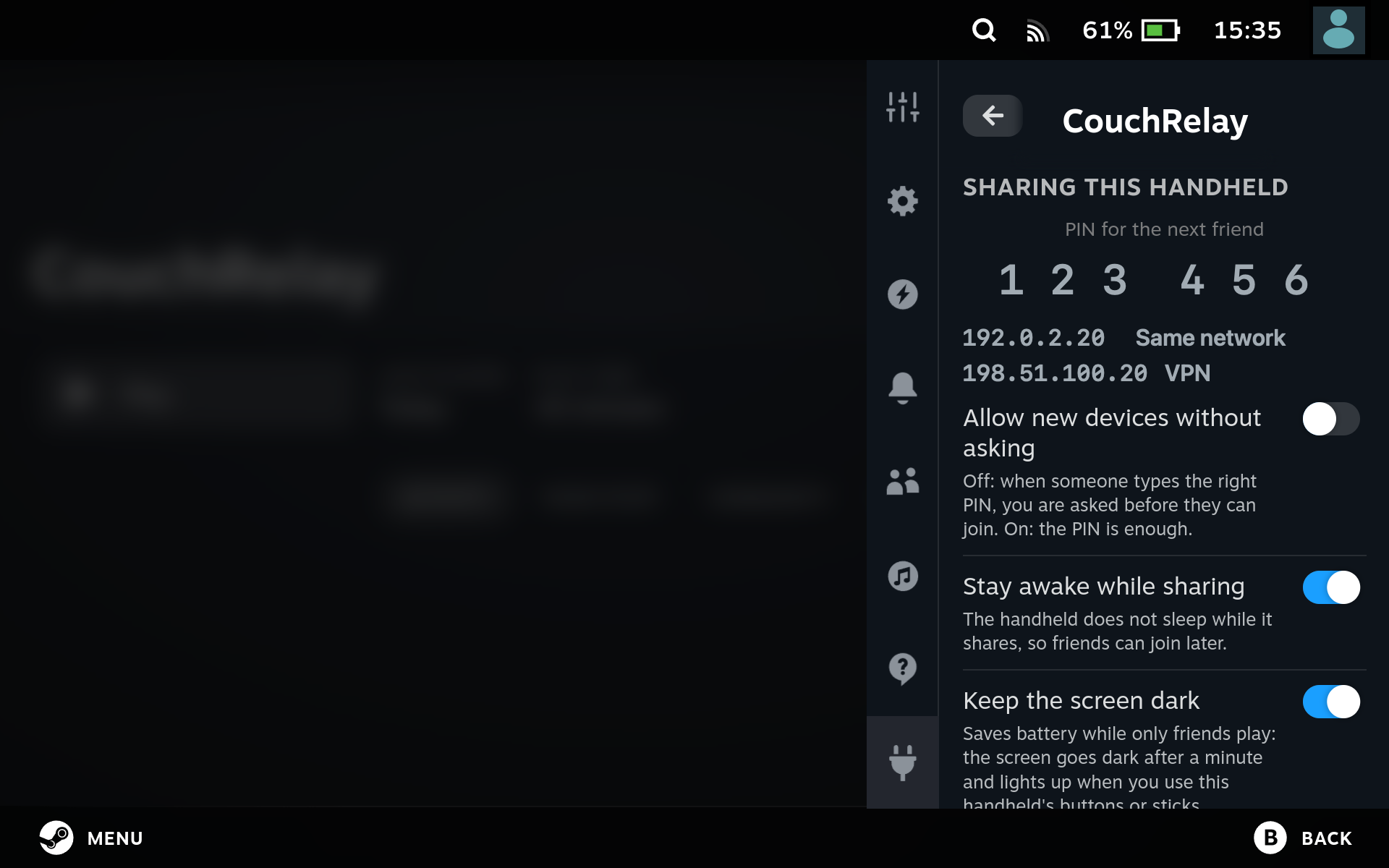
- Decky plugin for SteamOS, Bazzite and CachyOS Handheld: host or join from Gaming Mode, with
Steam Input mapping your controls.
- Stay awake while sharing, so friends can join later; optionally dims the screen and
mutes the speakers when nobody is touching the handheld (friends still see and hear the game).
- Keeps Wi-Fi steady during a stream (no power saving or access point hopping mid-game).
- End stream from the Quick Access menu.
On Windows
- One portable app: unzip and run, no installer. The virtual controller driver is installed on
first host, with your permission, and removed again from Settings.
- Settings lock during a stream so nothing changes mid-game.
A look inside.
Share from your PC, join a friend, or play from Gaming Mode.
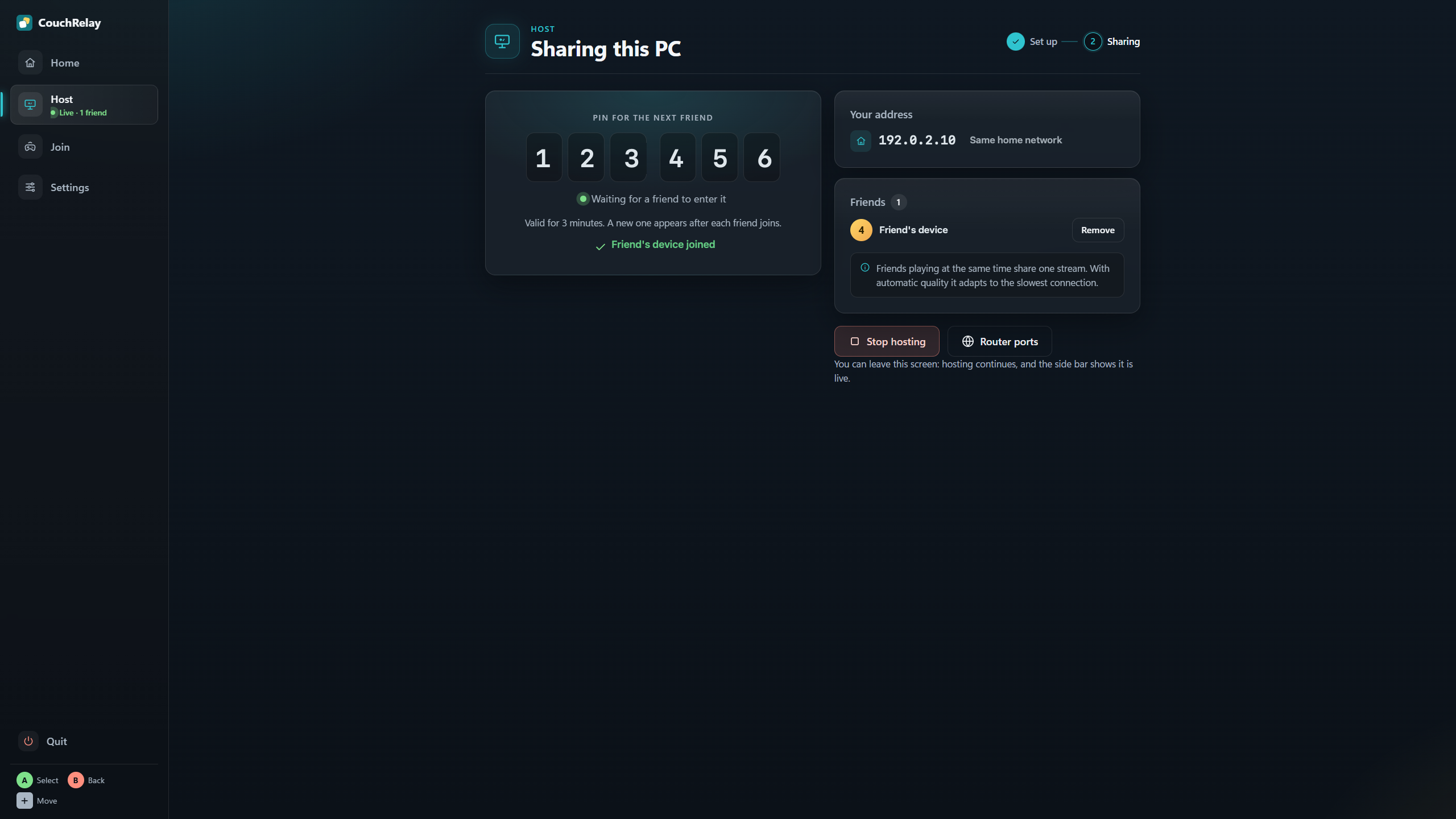
Share your screen. Send the PIN.
Start sharing, invite a friend and decide who joins—all from one screen.
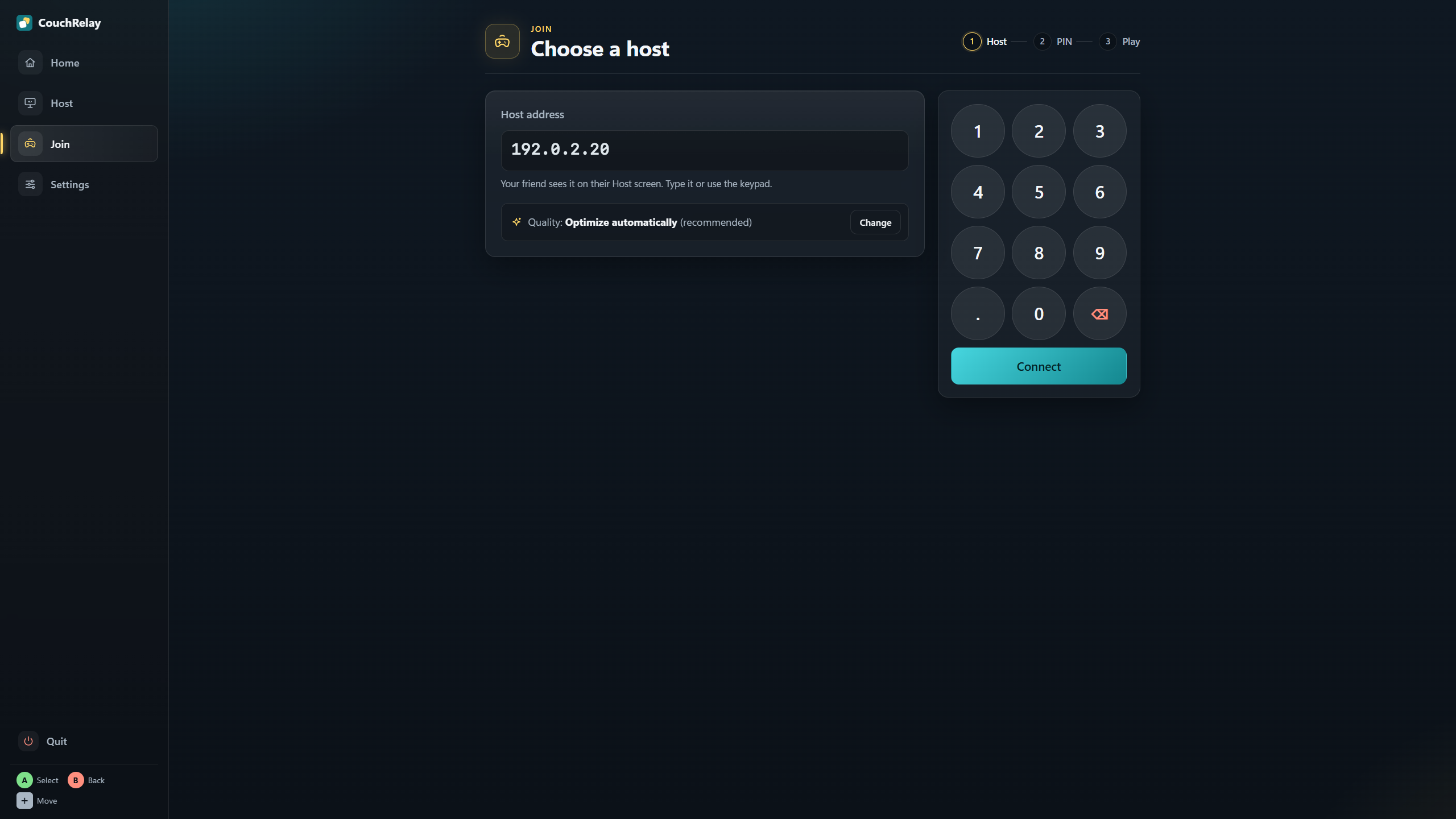
Your friend’s game. Your controls.
Enter your friend’s address, choose your stream settings and connect.
Game night, in Gaming Mode.
Host or join from the Quick Access menu on Steam Deck and other supported handhelds.